Feature
AI legal assistant for scoped drafting and review tasks
LegalDoc's AI legal assistant handles a short list of drafting and review tasks: suggesting a template, collecting required intake before it creates a draft, summarizing a saved contract review and proposing a safer clause. It works from the context you give it and reports only what the application actually did.
Supported tasks
The assistant recognizes four tasks. Each one uses specific context and returns a specific result, shown as a next-step action beside the reply.
| Task | How to ask | Context used | Result |
|---|---|---|---|
| Find a template | Name the document type, for example "I need an NDA" or "find an MSA". | The jurisdiction you select (United States if none is selected). | A suggested template for that jurisdiction with a button to use it. |
| Start a draft | Ask to "create draft" or "start draft" for a template. | The suggested template and any intake answers you have entered. | If required fields are missing, an intake form and a note that no draft exists yet. Once complete, a new draft in your vault. |
| Summarize a review | Select a saved review, then ask to "summarize this review". | The completed review you selected from your own review library. | The review summary, the overall risk score and the high and medium risk counts. |
| Suggest a clause alternative | Paste the clause and mention "clause" or "redline". | The text in your message. | A safer-language suggestion when the text matches a built-in risk pattern, such as uncapped liability or renewal without notice. |
Template suggestions recognize NDA, MSA, SOW, consulting, contractor, employment offer, privacy policy, website terms, lease and loan requests. Pick the payment demand and service cancellation letters directly from the template library.
Example exchanges
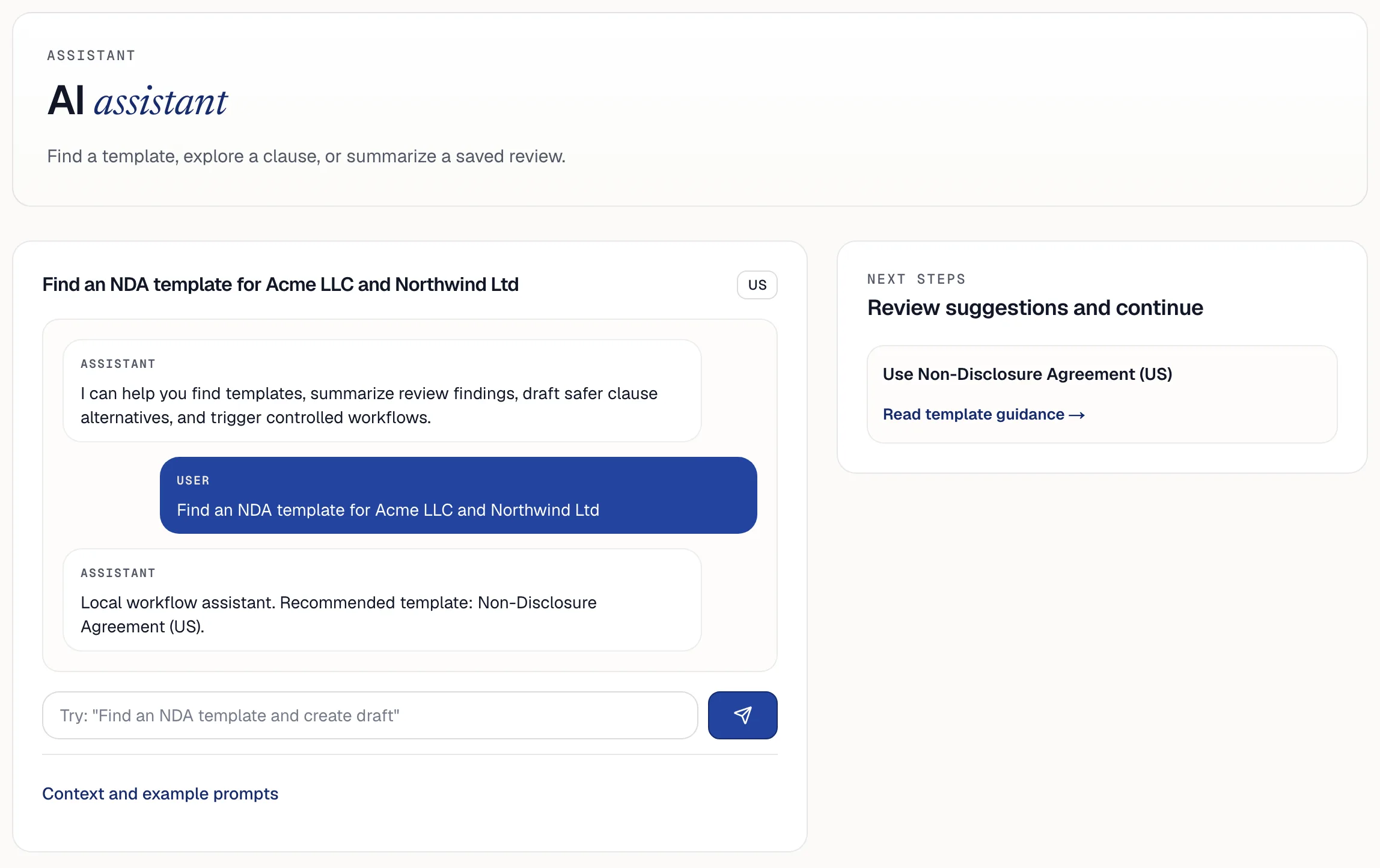
These examples are illustrative and use fictitious parties. The first reply is returned word for word because it describes an application step; the second is written by the model around the suggested language.
Template and intake
You: "Find an NDA template and create draft" (jurisdiction set to United Kingdom, no intake answers yet)
Assistant: "Recommended template: Non-Disclosure Agreement (UK). Before I create this draft, complete these details: First party legal name, Second party legal name, Effective date, NDA type, Confidentiality term (months). No draft has been created yet."
Clause alternative
You: "Suggest a safer clause: Acme LLC may change the fees at its sole discretion at any time without notice."
Assistant: A reply built around the suggestion "Require reasonable prior notice and mutual agreement for material changes," with an explanation for your review.
Context sources and permission limits
The assistant acts inside your own account. These limits are part of how every request is built.
- It can only report actions the application actually completed, such as a draft it created. It does not claim to have sent, approved or filed anything.
- It cannot send messages, change subscriptions, delete documents or access another user's documents or reviews.
- Contract text and conversation are treated as untrusted data, not as instructions to the assistant.
- It is instructed not to invent citations or present its reply as a legal opinion.
- Only the most recent 12 messages of the conversation are sent with each request.
- Hourly and daily AI usage limits apply. Very long conversations or pasted contracts can be rejected as too large.
When the assistant is the wrong tool
The assistant is scoped on purpose. Use something else for:
- Open-ended legal research or questions that need citations to statutes and cases.
- Rewriting a whole contract. Clause suggestions come from a fixed set of risk patterns and work best on one clause at a time.
- Editing an existing draft in place. Use the document editor for changes.
- Summarizing a contract that has not been uploaded and reviewed. Run a contract review first.
For a full clause-by-clause report, use AI contract review. For repeatable one-click tasks with saved run history, see legal workflow agents.
Questions about the assistant
What can the AI legal assistant do?
Four things: suggest a template, collect required intake and then create a draft, summarize a completed contract review you select, and suggest safer language for a pasted clause that matches a built-in risk pattern.
Does the assistant see all of my documents?
No. It works with the jurisdiction, template, intake answers and saved review you provide in the conversation. It cannot read other users' data.
Is there a usage limit?
Yes. AI features have hourly and daily usage limits. If you reach one, wait for the window to reset before sending another request.
Does the assistant give legal advice?
No. Replies support your own drafting and review. They are not a legal opinion and do not create a lawyer-client relationship.
Next: open the US NDA template, look up a term with the legal term explainer, review pricing and usage limits or book a demo.